The engineer’s scratchpad, inside Solidworks
Pull dimensions. Pull measurements. Grab properties. Do the math. Write it down. Stay inside your model.
Every engineer has scratch work. SOLVEpad is where yours lives, connected to your model, so when a dimension changes, SOLVEpad flags it, and your numbers stay honest.
Unzip the download and run the installer. It’s not code-signed yet, so Windows will warn you on first run:
SmartScreen: if you see “Windows protected your PC”, click More info → Run anyway in that Windows dialog.
Blocked zip: if the .exe won’t extract, right-click the zip in File Explorer → Properties → tick Unblock → OK.
Close Solidworks before installing. The add-in registers itself, so it shows up in the task pane next time you open Solidworks.
Tested on Windows 11. Windows 10 should be fine, but if it isn’t, tell me and I’ll fix it.


Grab a dimension value, link it up.
Install the add-in. SOLVEpad opens as a task pane right inside Solidworks. No browser tab, no alt-tab, no context switch. Look for Nubs the llama.

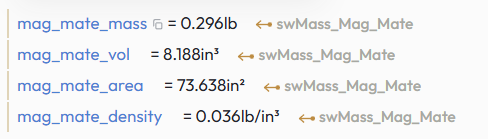
Click any dimension and SOLVEpad captures it as a named variable, live-linked to the geometry. Need mass properties, custom properties, or a measurement between entities? Type @mass, @props, or @measure to pull exactly what you want, and all of it stays in sync with your model.
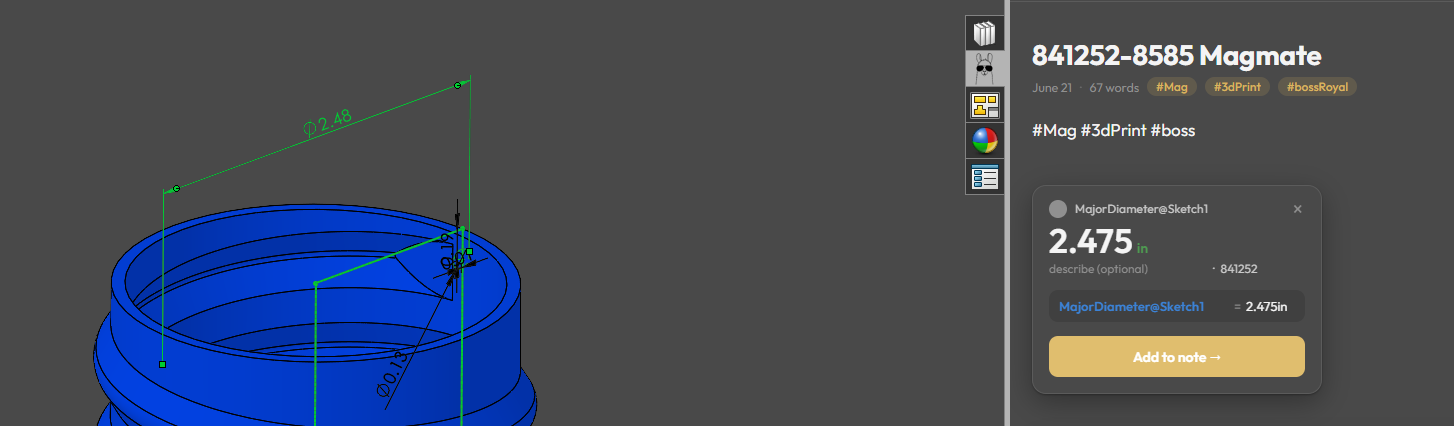
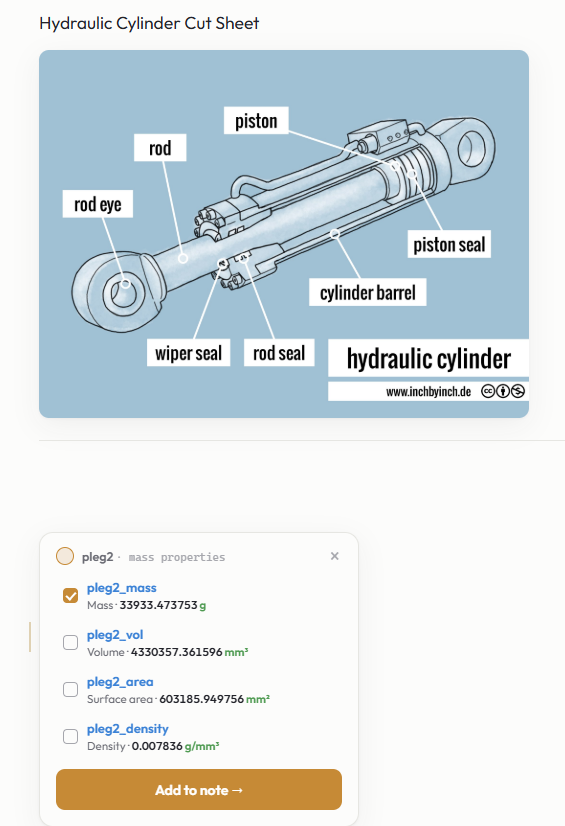
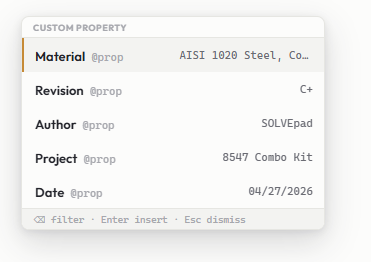
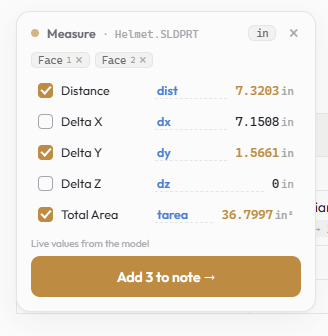
Write specs, stack-ups, and conversions the same way you always have, except the math is already done, right in the note.
Demo uses basic arithmetic. The full app includes a comprehensive engineering function library, including trig, hyperbolic, rounding, and unit conversion. That’s what engineers need. We have it.
This demo is live. Tap the rib_count line below, change 8 to 4, and watch the results update.
Drop in reference specs, images, URL links, part notes, reminders, checklists, anything that belongs with the work. SOLVEpad keeps it all in one place, right where you already are.
Every dimension, mass property, measurement, and custom property you pull from a model shows its current sync state. You always know where you stand.



Matches the model. Safe to build on.
Model changed. Click to refresh.
Open it to check. Reference is preserved in the note.
The file opened fine, but what you captured isn't in it anymore, whether a renamed dimension, a deleted property, or a geometry entity that's changed and is no longer in the model. The note keeps the last captured value.
The file can't be found, because it was moved, renamed, or cleared from cache. Click it and SOLVEpad relinks the note: point at the file, every value follows.
Whatever state a value is in, the math keeps running. SOLVEpad never rewrites a captured value on its own, and syncing is always your call, because only you know whether a note should track the model or hold the numbers the design was signed off against.
rev. 2026 · solveshop.com
A task-pane add-in that puts SOLVEpad right inside Solidworks. No browser tab, no switching windows. Click a dimension, pull it into your note, stay connected.

For trying it out
or $110/yr, save $34
I kept doing the same thing: jotting down notes for a project, then alt-tabbing to a calculator for a quick conversion or a stack-up, then tabbing back and losing my place. It was small every time, but it happened constantly.
SOLVEpad is the scratchpad I wanted, one where the math just happens where you’re already writing. I built it for the way I actually work, the task pane add-in allows it to live where CAD users actually spend their day.
You don’t even need Solidworks open to use it. But that’s where it shines.
If that sounds useful, I’d love for you to try it.

Nubs is the SOLVEpad mascot, a llama of few words and strong opinions about unit conversions. Nubs has never lost a calculation, mostly because Nubs doesn’t do calculations. That’s your job. Nubs just watches.